How do I edit a classroom's framework?
It is very easy to edit a classroom's framework on the Learning Genie web portal!
If you need to update the framework for multiple classrooms at once, refer to our guide on batch editing classroom frameworks instead.
1. Using a web browser, log into web.learning-genie.com
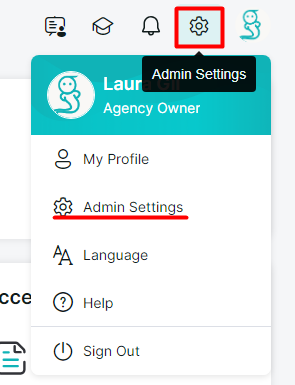
2. Click on your "Admin Settings".
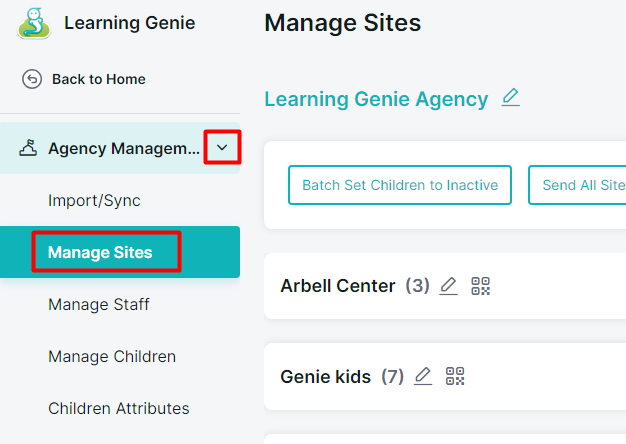
3. On the left-hand side, locate and click "Manage Sites".
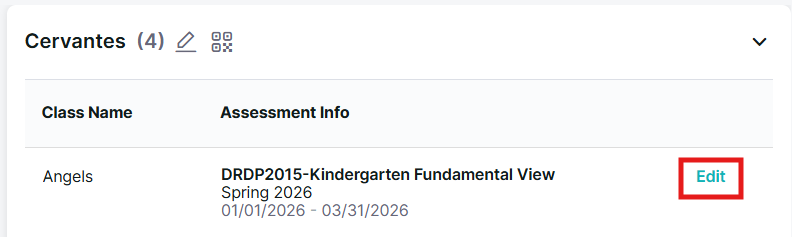
4. Locate the classroom you wish to edit, then click "Edit".
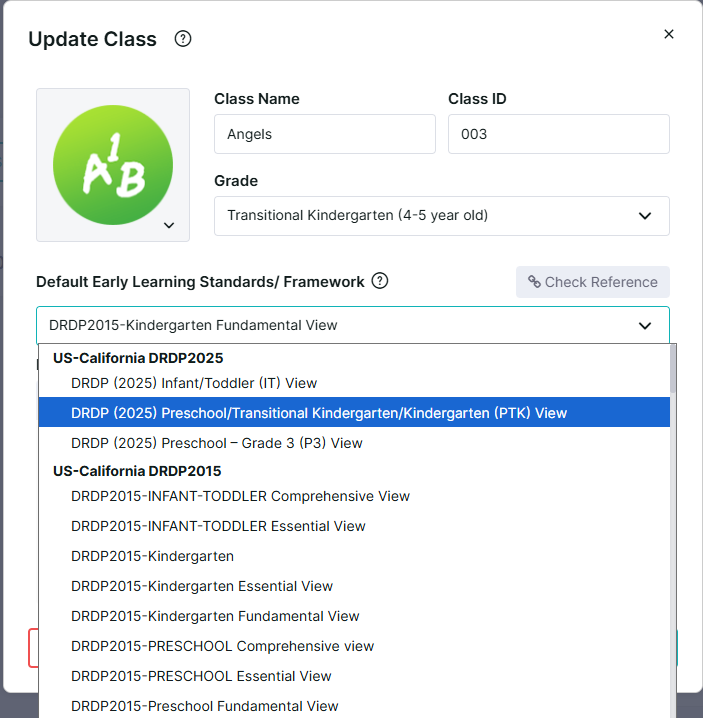
5. Edit the framework by clicking and selecting a new one from the drop-down menu.
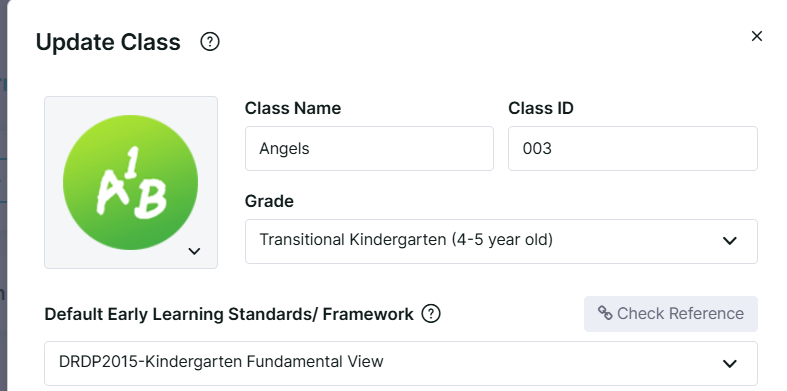
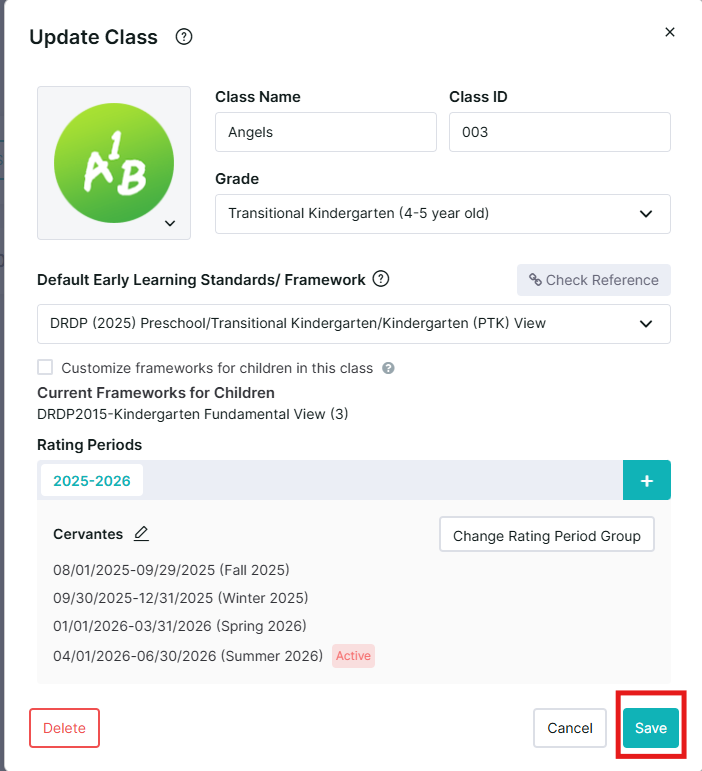
6. Click "Save" once you are done.
For additional guidance, please refer to our detailed step-by-step guide down below!
If you are still having difficulties, do not hesitate to reach us at [help@learning-genie.com] or call (760)576-4822!