How to edit individual rating periods?
Note: If you are unable to edit a child's rating period or agency rating period group, please contact the Agency Owner of the account for access. [Agency Owners will follow these steps to grant access: Admin Settings > Agency Management > Manage Staff > Add Rating Period.
1. Log in to web.learning-genie.com.
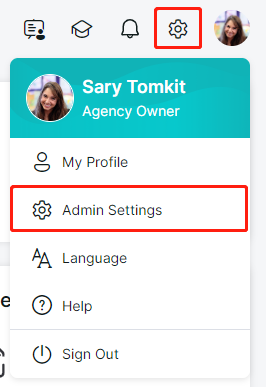
2. Open your Admin Settings.
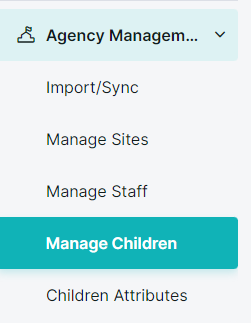
3. Under "Agency Management"> "Manage Children", find the child whose rating period you want to edit.
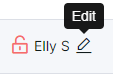
4. Hover over the name of the child and click on the pencil button ( ) next to their name.
5. Scroll down the bottom of the page until you see Child's Rating Period section.
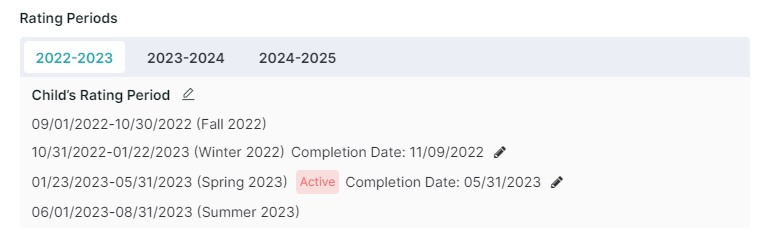
6. Click on the little pencil ( ) next to it.
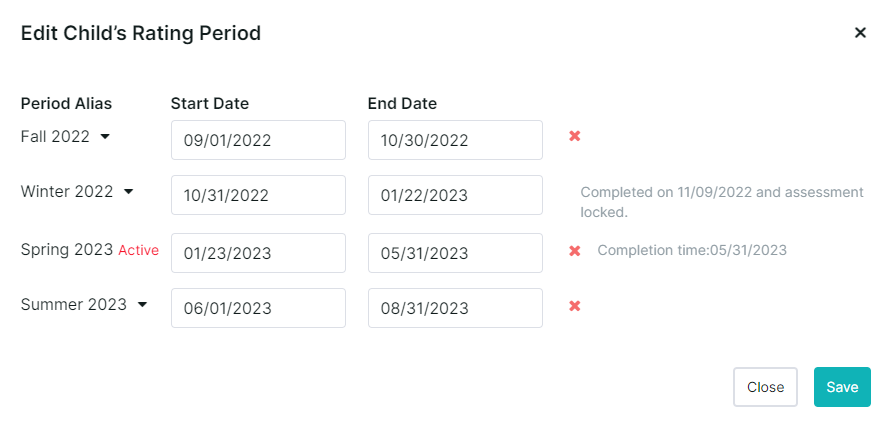
7. Enter/modify the dates that you need, then click Save.
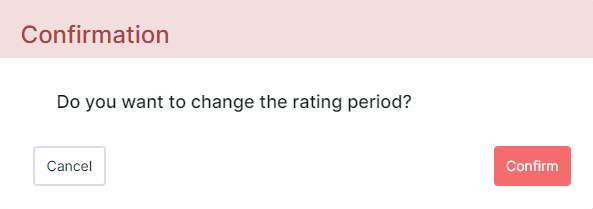
8. Confirm to save the changes.
For additional guidance, please refer to our detailed step-by-step guide down below!
If you are still having difficulties, do not hesitate to reach us at [help@learning-genie.com] or call (760)576-4822!