How to Create In-Kind Assignments (Smartphones)
You can send In-Kind assignments to families and track the completion progress now. Here is how.
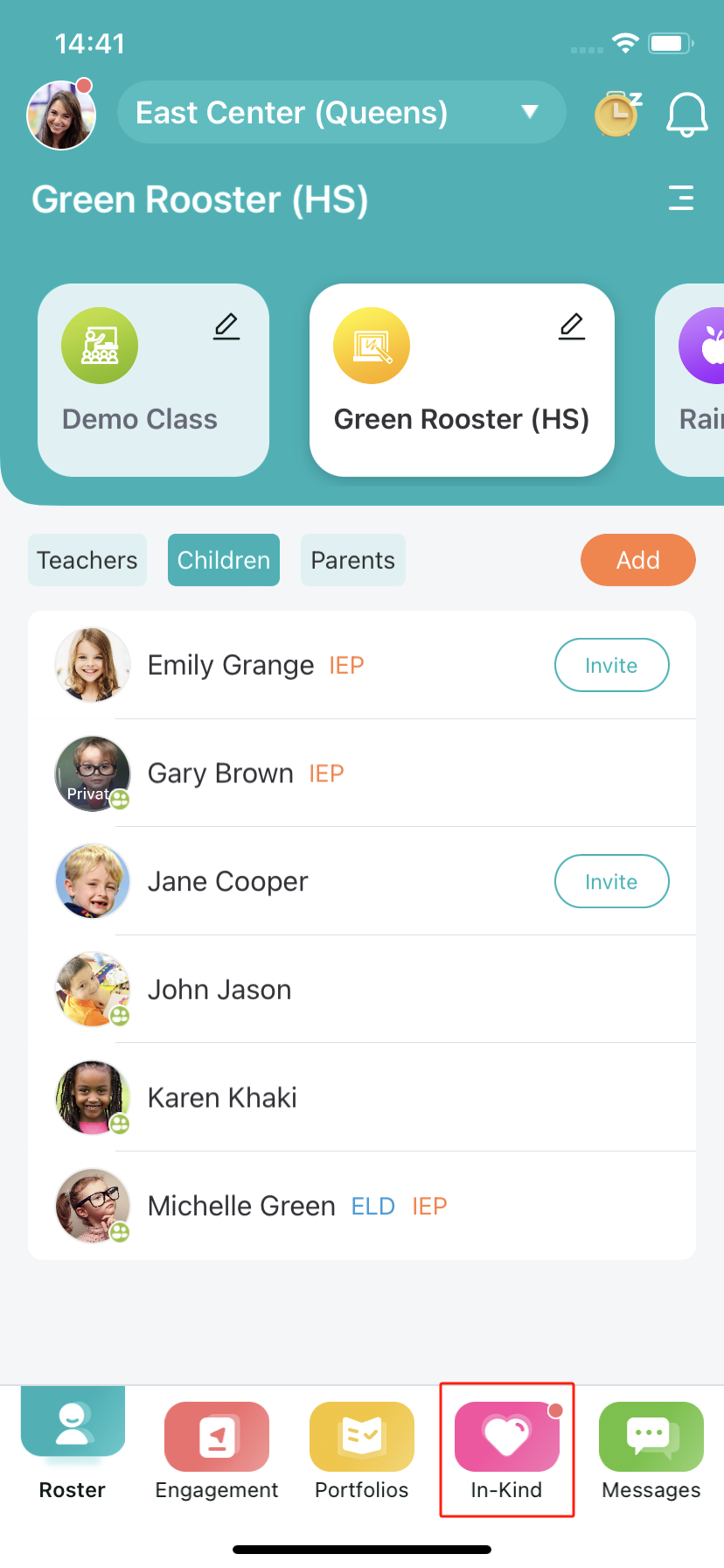
- To create an In-Kind assignment, tap on the "In-Kind" option located in the bottom menu.
- Then, click the "Create Assignment" button.
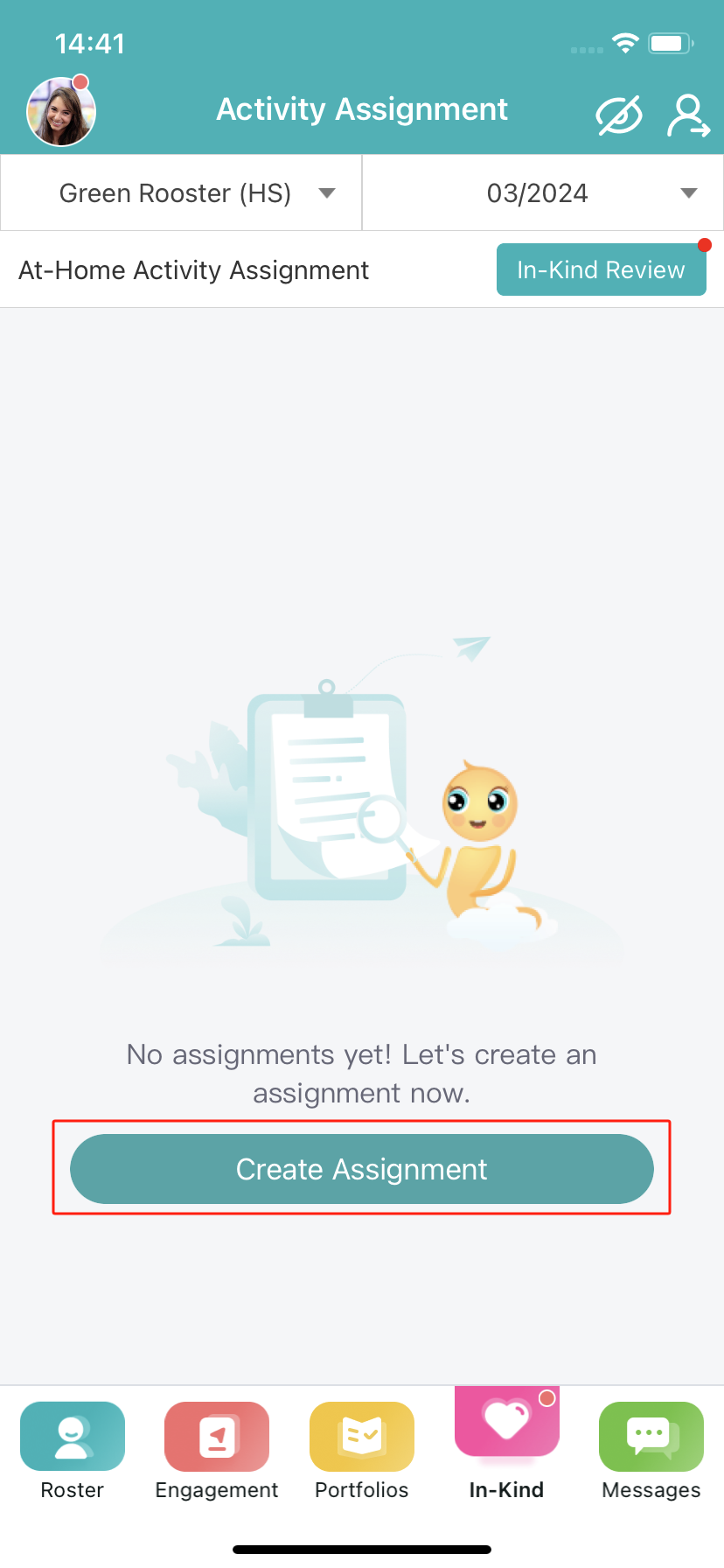
Note: If you already have some assignments for this month, please click the “+” icon to create a new assignment.
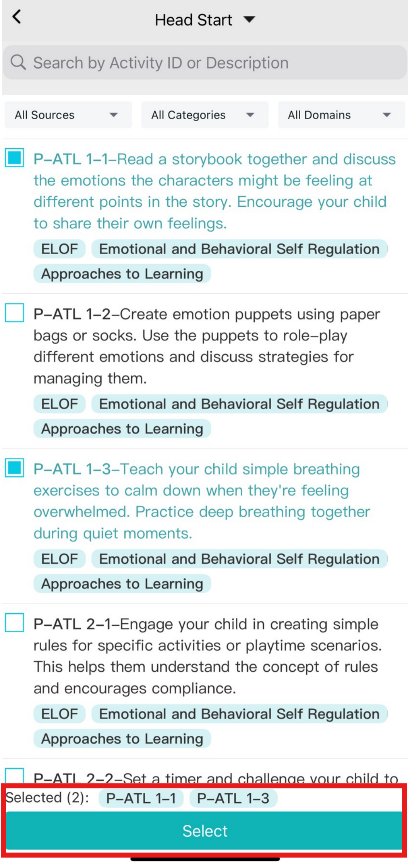
- Select the at-home activities that you are going to include in this assignment.
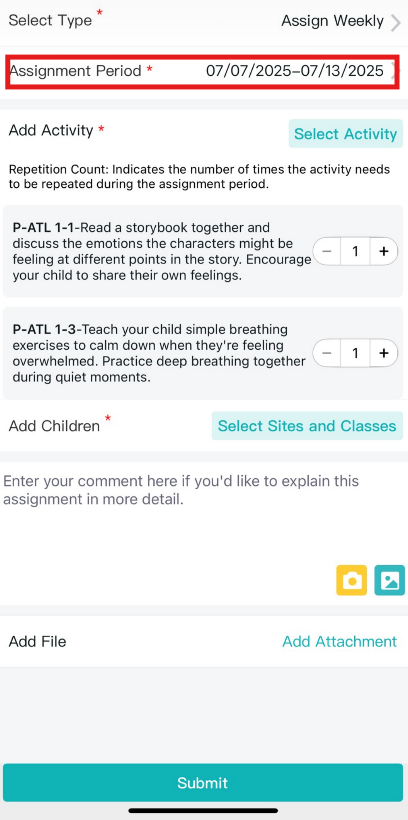
- Then, select the type of this assignment (it can be a weekly, monthly, or custom assignment) and the assignment period.
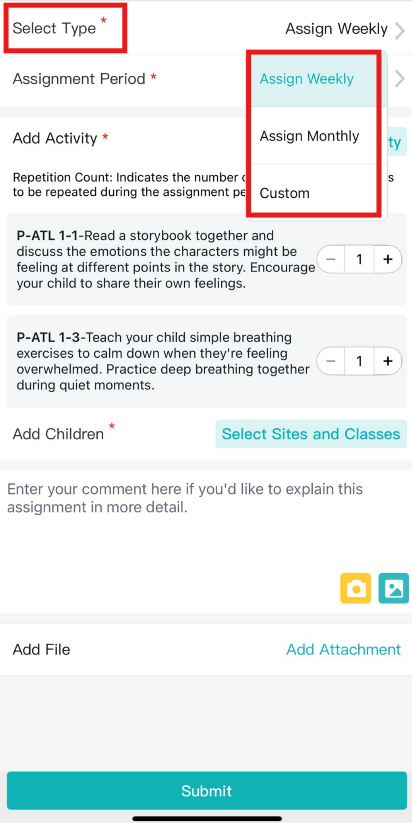
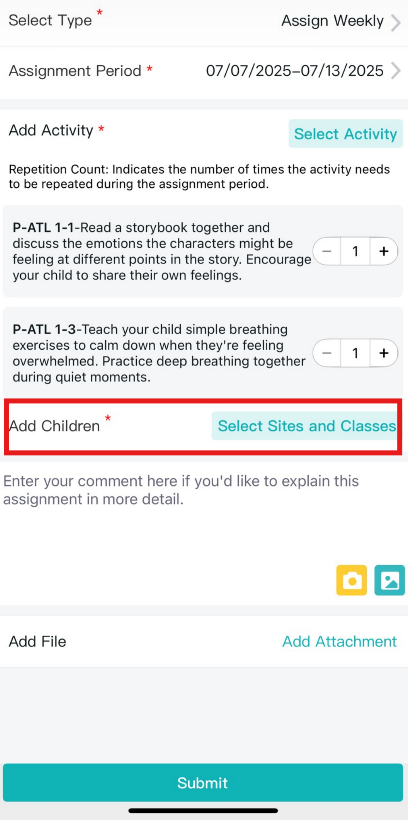
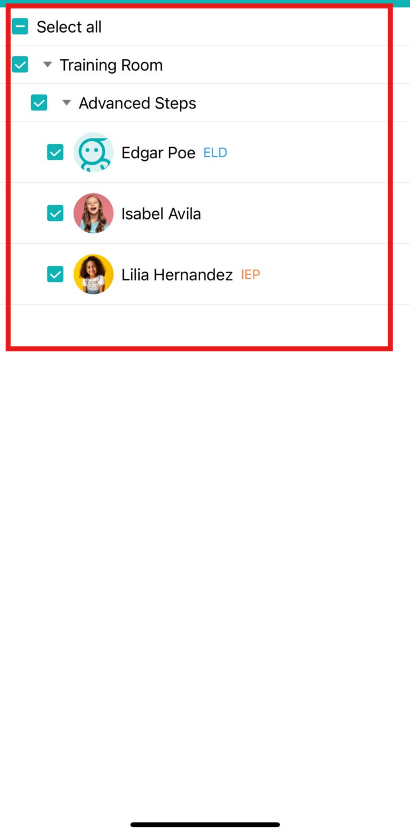
- Click the “Select Sites and Classes” button to include the children that you want to send.
- At last, click the “Submit” button to send this assignment to families to complete.
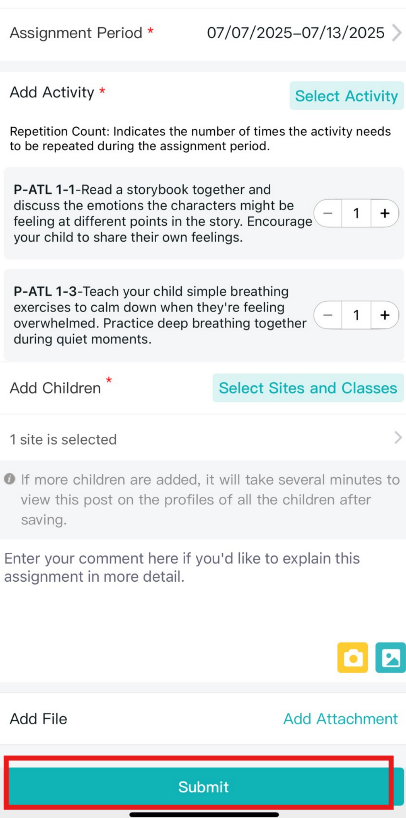
Note: you can also add some comments/instructions, images, and attachments if you want to explain this assignment in more detail.
Please reach out to us if you have any questions!
help@learning-genie.com
(760)576-4822