How to add or remove off-site reasons
Learning Genie makes it simple to customize off-site reasons on your Daily Health Card. Follow the steps below to manually add or remove reasons:
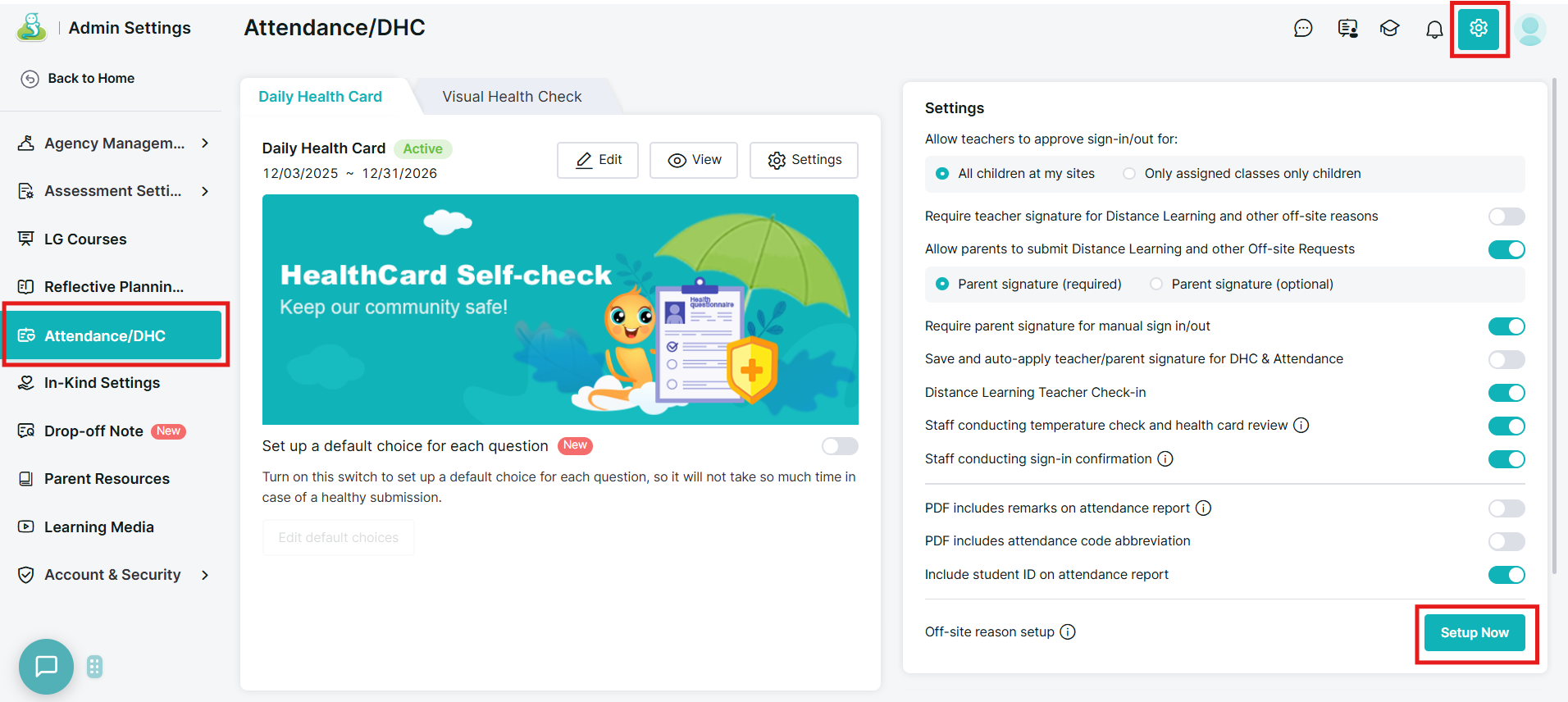
1. Go to “Admin Settings” > “Attendance/DHC”, then click the “Setup Now” button to modify your Off-site reason setup.
2. Then, by clicking on "the three dots" and dragging and dropping you can order around the off-site reasons, if you wish to remove an off-site reason hover to the right side and click on the red "X" button, if you wish to add a new option, click on "Add another option".
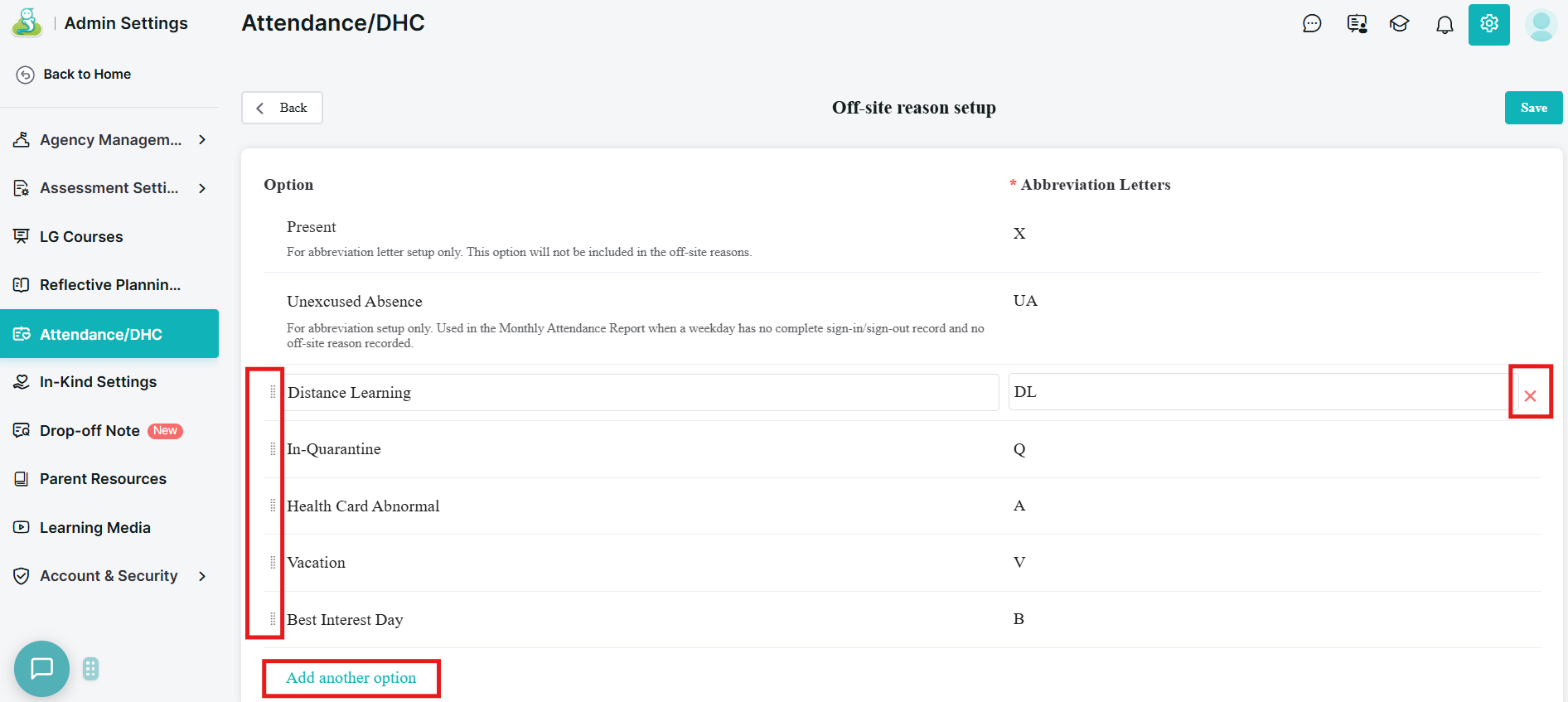
Please note that “Distance Learning” and “In-Quarantine” can not be modified or removed. You can also set up abbreviation letters for these options.
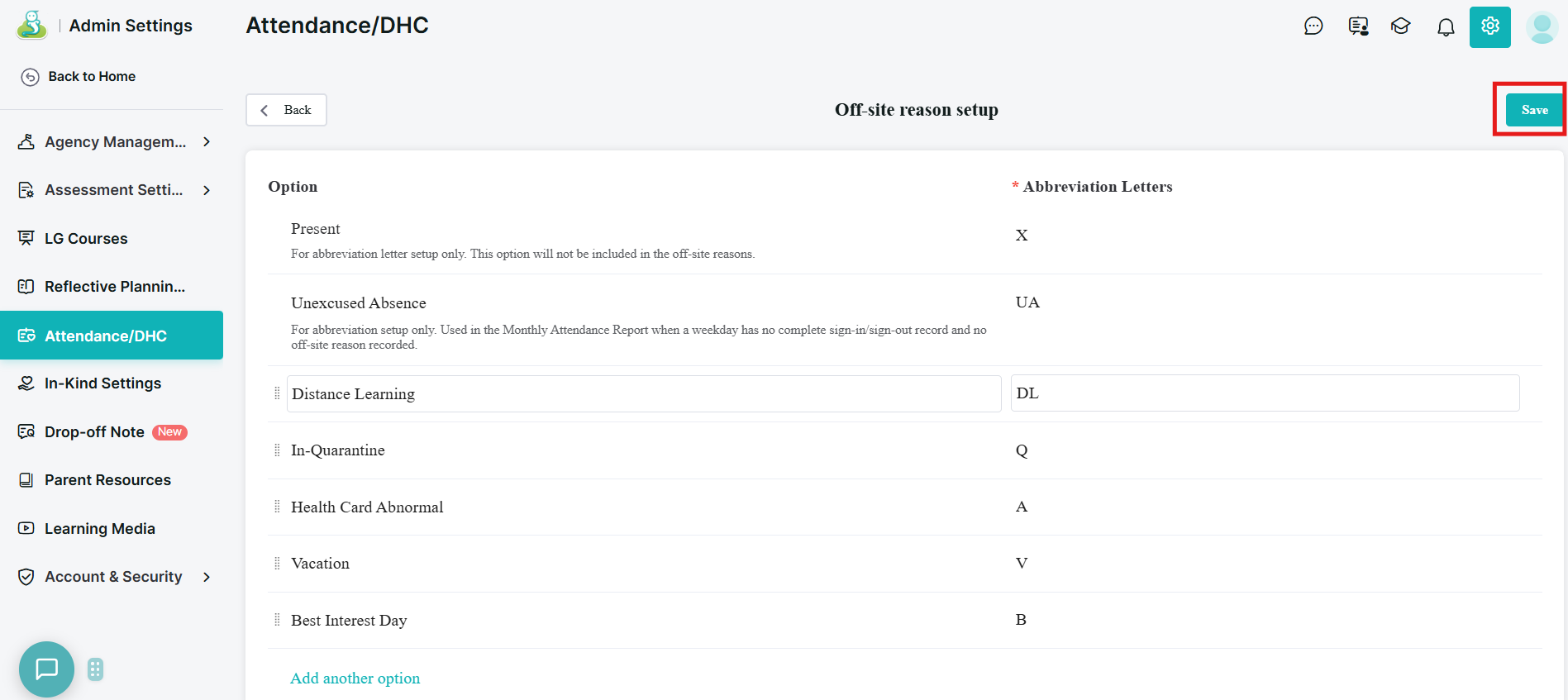
3. Click the “Save” button to save your changes.
Please reach out to us if you have any questions!
(760)576-4822